Travel planning becomes easier when each calculation uses inputs settled by the previous one. Clothing counts depend on dates and laundry; budget depends on days, nights and group size; sightseeing capacity depends on real transfer times. This guide connects the site's tools into one planning sequence. It does not book travel or replace current route and provider information. Its purpose is to make assumptions explicit and reduce repeated editing when one part of the trip changes.
Establish dates and local event clocks
Write the departure and return calendar dates, then list transport events with their local date and zone. Use the date counter to obtain the inclusive calendar span and the timezone converter to translate specific events when needed. Do not use the date difference as an automatic accommodation count. Create the actual lodging segments separately, especially when overnight journeys are involved. This first stage provides the days and nights that later calculations require, while preserving event-clock information for pickups, calls and connections.
Build the spending model in one currency
Use actual or documented planning prices to separate group accommodation, per-person daily spending and group one-off costs. Convert foreign-currency estimates with a manual rate whose direction and source you understand. Add a reserve for a defined scenario, then review the group total and equal planning share. These are estimates, not payment allocations. If activities or room arrangements differ between people, document the difference outside the simple equal-share output. Completing this model early helps identify whether extra stops add significant cost before they become firm expectations.
For the next input check, use Trip Days & Nights Counter. Its result should retain the assumptions described here.
Choose the clothing rotation and inventory
Confirm likely laundry access and calculate the rotation length before filling the bag. Generate the packing list for duration, climate, activity type and traveler count. Replace general suggestions with personal requirements and assign shared-item ownership. Then translate the final inventory into measured item weights for the bag you will actually carry. Remember that worn clothing belongs in the wardrobe count but not automatically in bag contents. Check the physical packed bag and booking rules separately after the calculator identifies the estimated total.
Validate each day and keep change triggers
Use real route-time estimates to build sightseeing windows with visits, transfers, breaks and buffer. The distance tool can screen geographic spread but cannot supply those route times. Check fixed events chronologically after the aggregate pace calculation. Finally, record what must be recalculated if dates, location, laundry or group size change. A new return date can affect clothing and daily spending; a new overnight journey can alter accommodation without changing every other field. The trigger list keeps revisions precise instead of forcing you to start the whole plan over.
A related planning question is covered in Auditing a packing list after the trip.
One change can have a limited set of consequences
Suppose the outbound flight moves later but the travel dates remain the same. The inclusive day count may be unchanged, while arrival access, first-day meals, sightseeing capacity and a remote call could all need review. The clothing rotation may stay valid if the laundry schedule is unaffected. A different change, such as replacing a daytime return with an overnight journey, can alter local event dates and room nights more substantially. Use a compact dependency note: input changed, affected calculations, external bookings to verify. This avoids both extremes of recalculating nothing and restarting everything. The tools remain independent so you can update only the relevant result, but the guides explain where one assumption feeds another. Save the newer exports with a version label of your choice and identify obsolete notes. A well-connected workflow is not a promise that every change is simple. It is a way to make the consequences visible before a stale number becomes a packing quantity, a budget commitment or a pickup instruction.
Worked example
Worked example: Two people first identify a seven-calendar-day trip and six actual accommodation nights. They check local clocks for their outbound arrival and a remote call. They enter a one-currency budget, then test an extra-transfer reserve. Laundry is confirmed after day four, so the clothing calculator supports a five-set rotation including a spare. The packing list is customized and weighed. On the longest transfer day, the pace tool shows that four sightseeing stops exceed the available window, so two become optional. When the return moves one day later, they update days, lodging as applicable, the clothing rotation and that day's activities rather than discarding the whole plan.
Reference table
| Item or scenario | Value or choice | What to remember |
|---|---|---|
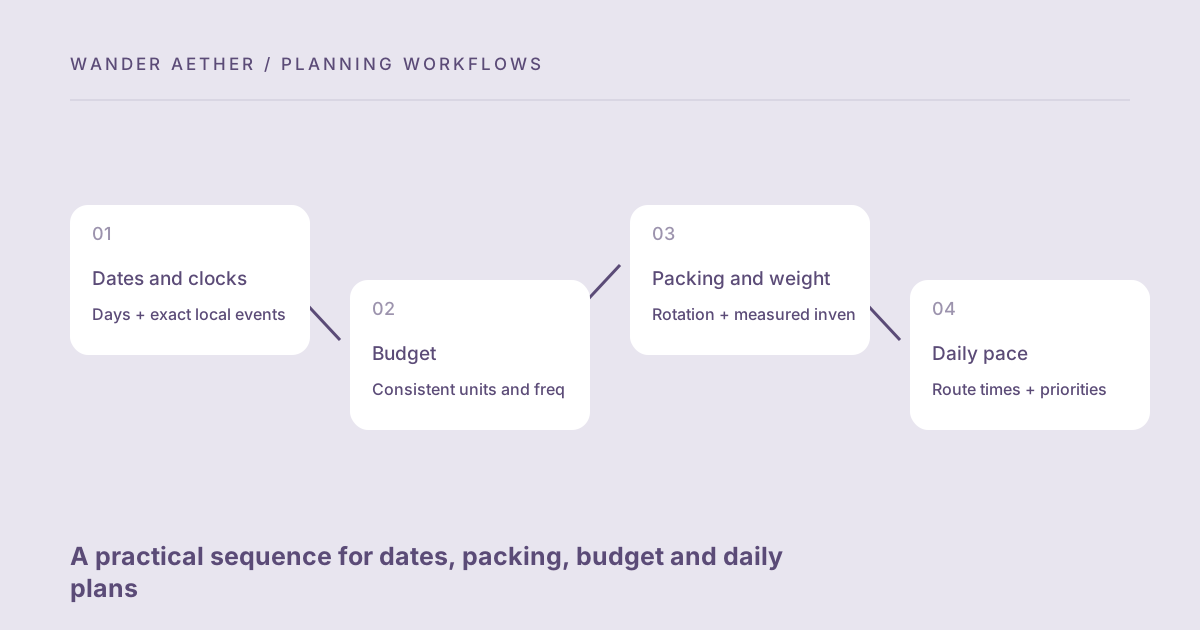
| Dates and clocks | Days + exact local events | Feeds lodging and packing |
| Budget | Consistent units and frequencies | Feeds scope decisions |
| Packing and weight | Rotation + measured inventory | Feeds baggage review |
| Daily pace | Route times + priorities | Feeds usable schedule |
Before you finish
- Set calendar dates and label each event zone.
- Calculate actual lodging nights independently.
- Keep all budget fields in one currency.
- Confirm laundry before reducing the clothing rotation.
- Record which inputs change when the itinerary changes.
Your next step
A connected plan is useful even if you never save a full travel document. Export the relevant results and keep a compact assumptions note beside them. The site's guides explain each boundary so the workflow stays transparent: dates are not elapsed hours, weight is not baggage acceptance and distance is not route time.
Continue with Using travel tools on a shared device without leaving unnecessary data. When your plan needs the next calculation, open Travel Time Zone Converter and carry over only the inputs appropriate to that tool.